Hi everyone I am on a problem since a while and it is becoming worse and worse.
I am using a Makerbase MKS ODRIVE MINI V1.0 that is also showed and discussed by @Justlovescience in his video and Github.
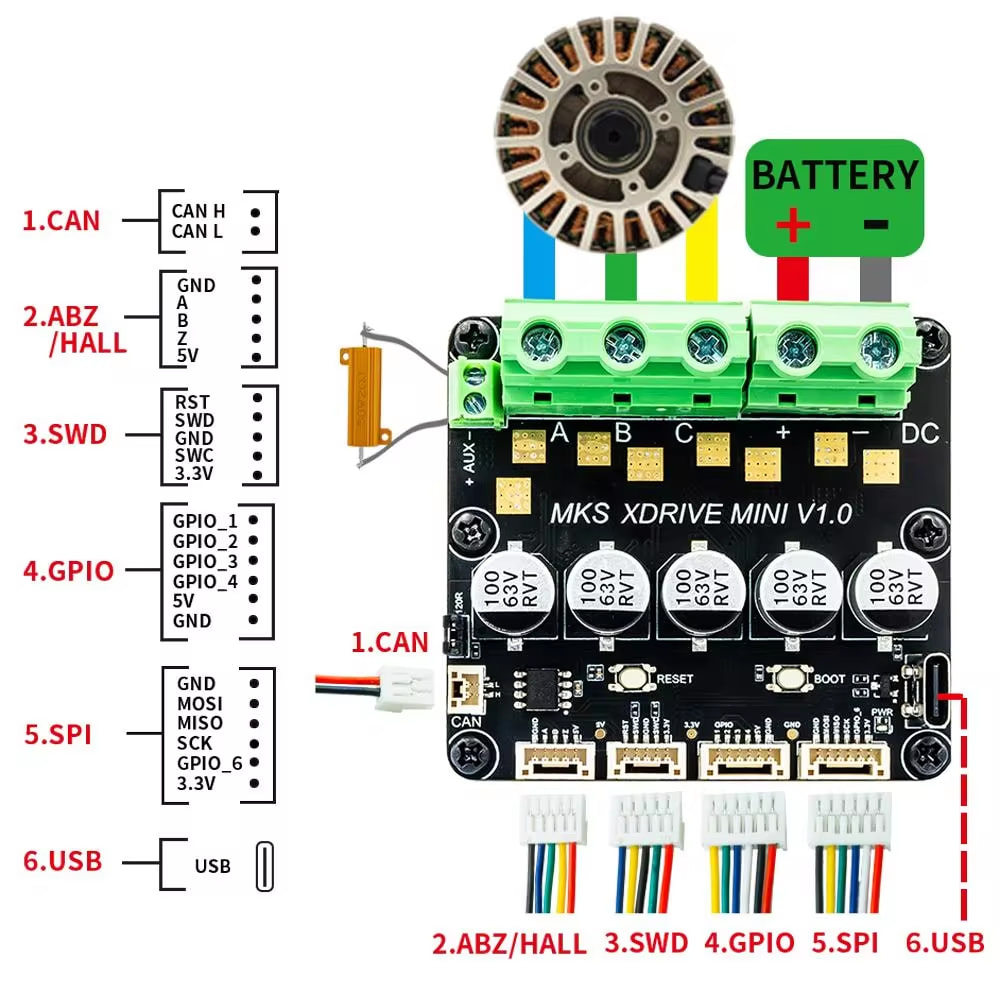
Firstly when i was in the command prompt and using odrivetool, the Odrive kept deconnecting after ~ 10s of connection which didn’t let me time to calibrate it. I then went in the settings of my computer to deactivate the settings that disabled the USB ports after a while for power usage… didn’t change anything. I also used Zadig to try to install another driver.
When i tried again today, it didn’t even connect. The board is clean and i did not mess it up at all bu my PC won’t show it in the device manager or even with Zadig. I tried to flash it by pressing BOOT when plugin it in but it didn’t work. I am now leaning towards installing the firmware that is in the Github of Justlovescience but if my Board doesn’t connect it won’t work (I tried with STM32 cube programmer). I have no idea of what to do in this situation i nearly begin electronics with BLDCs.
Thanks for ur help
Hi! Did you update driver firmware? If not, you driver is probably fine. windows drivers are known to be fragile for odrive 3.6 firmwares. if you have mac or linux you can try it first. For windows try this: https://docs.odriverobotics.com/v/0.5.6/troubleshooting.html#usb-connectivity-issues
– Justlovescience