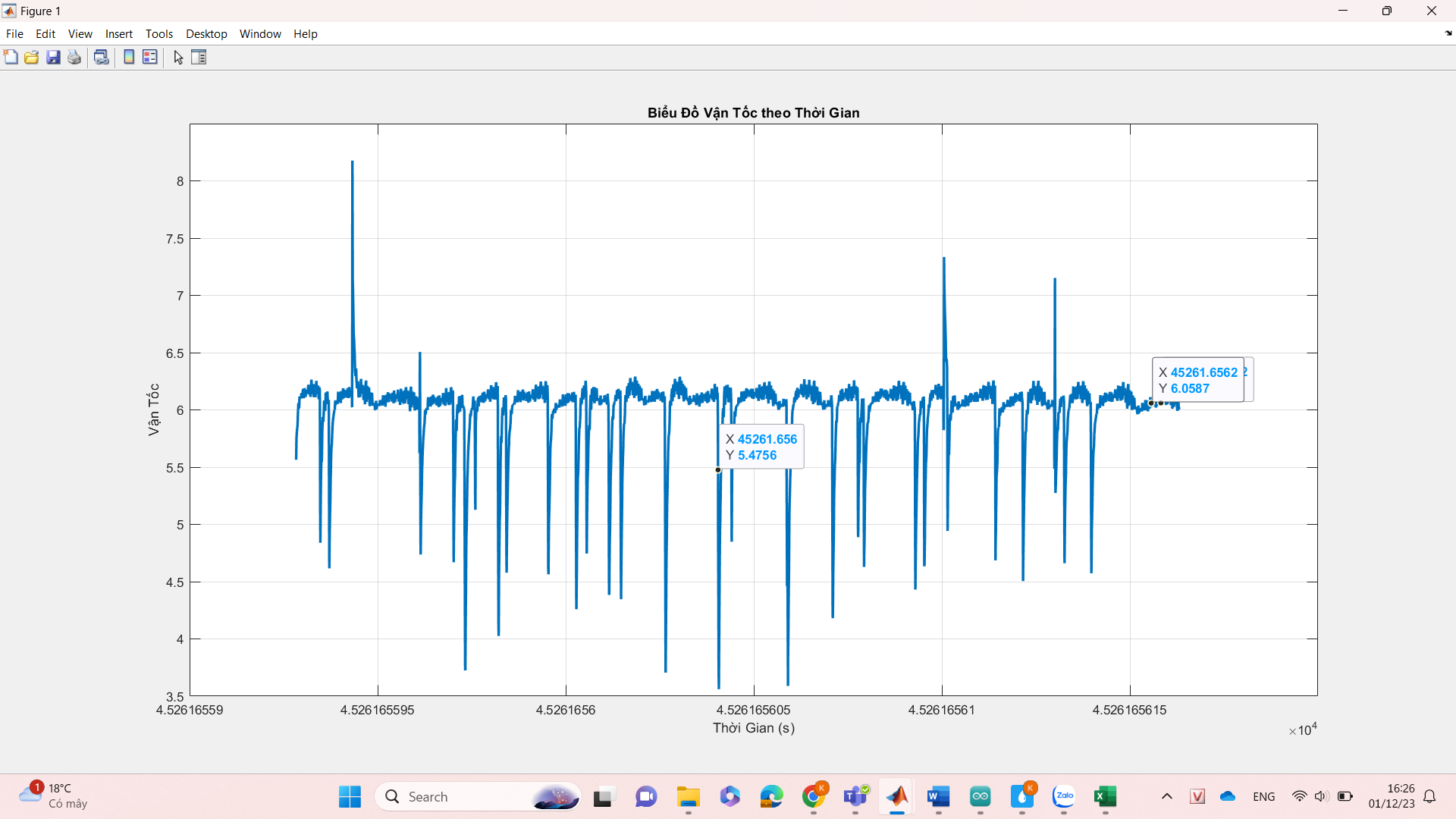
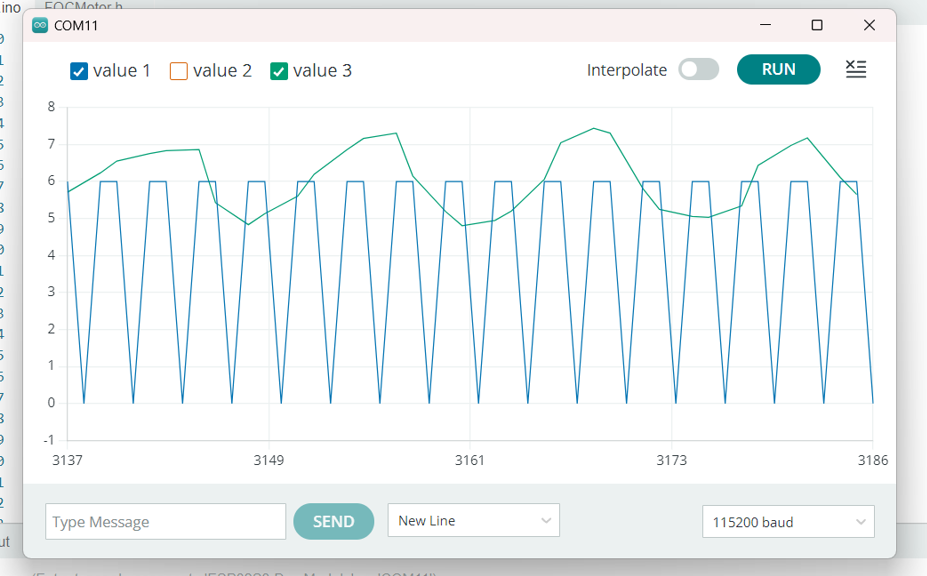
In the first sentence, I just need to install the application when running the following code, the speed will increase to the maximum, right?
/**
*
- Torque control example using voltage control loop.
- Most of the low-end BLDC driver boards doesn’t have current measurement therefore SimpleFOC offers
- you a way to control motor torque by setting the voltage to the motor instead of the current.
- This makes the BLDC motor effectively a DC motor, and you can use it in a same way.
*/
// for creating a software interrupt pin
#include <SimpleFOC.h>
// set up pins on arduino board
#define HallA 15 // yellow
#define HallB 16 // blue
#define HallC 17 // green
//InH PWM pins
#define INHA 9
#define INHB 10
#define INHC 11
//miscellaneous pins
#define En_Gate 35 //Enable gate driver and current shunt amplifiers.
#define OC_ADJ 38 //analog input adjusting the over-current limit - if you don’t care you can put it to high
#define M_OC 37 //Mode selection pin for over-current protection options. LOW = cycle by cycle. HIGH = overcurrent shutdown
#define M_PWM 36 //Mode selection pin for PWM input configuration. LOW = 6PWM. HIGH = 3PWM
// polar pairs
int pp = 15; // motor has 30 outer magnets
//phase resistance value of the motor A B and C wires.
//float RPhase = 1.4;
// BLDC motor & driver instance
// BLDCMotor motor = BLDCMotor(pole pair number);
BLDCMotor motor = BLDCMotor(pp);
// BLDCDriver3PWM driver = BLDCDriver3PWM(pwmA, pwmB, pwmC, Enable(optional));
BLDCDriver3PWM driver = BLDCDriver3PWM(INHA, INHB, INHC, En_Gate);
// hall sensor instance
HallSensor sensor = HallSensor(HallA, HallB, HallC, pp);
// Interrupt routine intialisation
// channel A and B callbacks
void doA(){
sensor.handleA();
}
void doB(){
sensor.handleB();
}
void doC(){
sensor.handleC();
}
// voltage set point variable
float target_voltage = 1;
// instantiate the commander
Commander command = Commander(Serial);
void doTarget(char* cmd) { command.scalar(&target_voltage, cmd); }
void setup() {
// initialize Hall sensor hardware
sensor.pullup = Pullup::USE_EXTERN;
sensor.velocity_max = 1000; // 1000 rad/s is around 10,000 rpm
//simplefoc activate sensor
sensor.init();
sensor.enableInterrupts(doA, doB, doC);
//extra step for HallC
// link the motor to the sensor
motor.linkSensor(&sensor);
// driver config
//DRV802 driver specific code
//3 or 6 PWM put on high for 3 pwm driver
pinMode(M_PWM, OUTPUT);
digitalWrite(M_PWM, HIGH);
//over current protection
pinMode(M_OC, OUTPUT);
digitalWrite(M_OC, LOW);
pinMode(OC_ADJ, OUTPUT); //adjuster voltage limit for M_OC
digitalWrite(OC_ADJ, HIGH); // for now put on high to give maximum over current limit but better to connect it with a pot meter.
driver.voltage_power_supply = 36; // power supply voltage [V]
driver.init(); //start driver
motor.linkDriver(&driver); // link driver
motor.voltage_limit = 5; //voltage limit
motor.voltage_sensor_align = 1; // aligning voltage limit
//motor mode selection
// choose FOC modulation (optional)
motor.foc_modulation = FOCModulationType::SpaceVectorPWM;
//set torque mode:
motor.torque_controller = TorqueControlType::voltage;
// set motion control loop to be used
motor.controller = MotionControlType::torque;
// use monitoring with serial
Serial.begin(115200);
// comment out if not needed
motor.useMonitoring(Serial);
motor.monitor_variables = _MON_TARGET | _MON_VEL | _MON_ANGLE;
// downsampling
motor.monitor_downsample = 10; // default 10
// initialize motor
motor.init();
// align sensor and start FOC
motor.initFOC();
// add target command T
command.add(‘T’, doTarget, “target_voltage”);
Serial.println(F(“Motor ready.”));
Serial.println(F(“Set the target voltage using serial terminal:”));
_delay(1000);
}
void loop() {
// main FOC algorithm function
// the faster you run this function the better
// Arduino UNO loop ~1kHz
// Bluepill loop ~10kHz
motor.loopFOC();
// Motion control function
// velocity, position or voltage (defined in motor.controller)
// this function can be run at much lower frequency than loopFOC() function
// You can also use motor.move() and set the motor.target in the code
motor.move(target_voltage);
motor.monitor();
// user communication
command.run();
}
 )
)