Hello
Getting SimpleFOC running on an Arduino UNO Q (+ SimpleFOCShield V3.2) is not as easy as I hoped.
Arduino IDE2
These are the steps I’ve taken up to now:
-
You need to use Monitor instead of Serial but there is an easy fix:
#include <Arduino_RouterBridge.h>
#define Serial Monitor (you can also replace Serial with Monitor throughout the code)
(MsgPack library installation is required) -
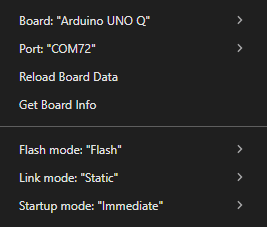
Normally you get an error about fmod and strtok, by adding this at the top of the code and changing some settings I got it to upload (should look into what accually fixed it because you probably don’t need everyting):
#define _XOPEN_SOURCE 700
#include <Arduino.h>
#include <math.h>
#include <string.h>
-
The code now uploads, and I get some SimpleFOC messages on the serial monitor, but no movement from the motor.
Code
#define _XOPEN_SOURCE 700
#include <Arduino.h>
#include <math.h>
#include <string.h>
#include <Arduino_RouterBridge.h>
#include <SimpleFOC.h>
#define Serial Monitor
// BLDC motor & driver instance
BLDCMotor motor = BLDCMotor(7);
BLDCDriver3PWM driver = BLDCDriver3PWM(6, 10, 5, 8);
// encoder instance
Encoder encoder = Encoder(2, 3, 1024);
// channel A and B callbacks
void doA(){encoder.handleA();}
void doB(){encoder.handleB();}
// inline current sensor instance
// ACS712-05B has the resolution of 0.185mV per Amp
InlineCurrentSense current_sense = InlineCurrentSense(185.0f, A0, A2);
// commander communication instance
Commander command = Commander(Serial);
void doMotion(char* cmd){ command.motion(&motor, cmd); }
void doMotor(char* cmd){ command.motor(&motor, cmd); }
void setup() {
// use monitoring with Serial
Serial.begin(115200);
// enable more verbose output for debugging
// comment out if not needed
SimpleFOCDebug::enable(&Serial);
// initialize encoder sensor hardware
encoder.init();
encoder.enableInterrupts(doA, doB);
// link the motor to the sensor
motor.linkSensor(&encoder);
motor.voltage_sensor_align = 4;
// driver config
// power supply voltage [V]
driver.voltage_power_supply = 12;
driver.init();
// link driver
motor.linkDriver(&driver);
// link current sense and the driver
current_sense.linkDriver(&driver);
// set control loop type to be used
motor.controller = MotionControlType::velocity;
// controller configuration based on the control type
motor.PID_velocity.P = 0.5f;
motor.PID_velocity.I = 10;
motor.PID_velocity.D = 0.001;
// default voltage_power_supply
motor.voltage_limit = 6;
// velocity low pass filtering time constant
motor.LPF_velocity.Tf = 0.01f;
// angle loop controller
motor.P_angle.P = 1;
// angle loop velocity limit
motor.velocity_limit = 20;
// comment out if not needed
motor.useMonitoring(Serial);
motor.monitor_downsample = 0; // disable intially
motor.monitor_variables = _MON_TARGET | _MON_VEL | _MON_ANGLE; // monitor target velocity and angle
// current sense init and linking
current_sense.init();
motor.linkCurrentSense(¤t_sense);
// initialise motor
motor.init();
// align encoder and start FOC
motor.initFOC();
// set the inital target value
motor.target = 0;
// subscribe motor to the commander
command.add('T', doMotion, "motion control");
command.add('M', doMotor, "motor");
_delay(1000);
}
void loop() {
// iterative setting FOC phase voltage
motor.loopFOC();
// iterative function setting the outter loop target
motor.move();
// motor monitoring
motor.monitor();
// user communication
command.run();
}
Arduino App Lab
Getting started:
- Create a new app
- Add the SimpleFOC library to the app:
- Ready to write some code

These are the steps I’ve taken up to now:
- Tried the same fixes as Arduino IDE2, but that didn’t work:
Starting app "SimpleFOC standalone"
Sketch profile configured: Name="default", Port=""
The library ArxContainer has been automatically added from sketch project.
The library ArxTypeTraits has been automatically added from sketch project.
The library DebugLog has been automatically added from sketch project.
The library MsgPack has been automatically added from sketch project.
The library Simple FOC has been automatically added from sketch project.
/home/arduino/.arduino15/packages/zephyr/tools/arm-zephyr-eabi/0.16.8/bin/../lib/gcc/arm-zephyr-eabi/12.2.0/../../../../arm-zephyr-eabi/bin/ld: /home/arduino/ArduinoApps/simplefoc-standalone/.cache/sketch/libraries/Simple FOC/common/foc_utils.cpp.o: in function `_normalizeAngle(float)':
/home/arduino/.arduino15/internal/Simple_FOC_2.3.5_b04eebd81eadaf6b/Simple FOC/src/common/foc_utils.cpp:80: undefined reference to `fmod'
/home/arduino/.arduino15/packages/zephyr/tools/arm-zephyr-eabi/0.16.8/bin/../lib/gcc/arm-zephyr-eabi/12.2.0/../../../../arm-zephyr-eabi/bin/ld: /home/arduino/ArduinoApps/simplefoc-standalone/.cache/sketch/libraries/Simple FOC/communication/Commander.cpp.o: in function `Commander::target(FOCMotor*, char*, char*)':
/home/arduino/.arduino15/internal/Simple_FOC_2.3.5_b04eebd81eadaf6b/Simple FOC/src/communication/Commander.cpp:571: undefined reference to `strtok'
collect2: error: ld returned 1 exit status
exit status 1
- Manually solved those problems for now:
extern "C" {
    double fmod(double x, double y) {
        return x - (long)(x / y) * y;
    }

    float fmodf(float x, float y) {
        return x - (int)(x / y) * y;
    }

    char* strtok(char* str, const char* delim) {
        static char* last;
        if (str) last = str;
        if (!last) return NULL;
        // Skip leading delimiters
        while (*last && strchr(delim, *last)) last++;
        if (!*last) return NULL;
        char* result = last;
        // Find end of token
        while (*last && !strchr(delim, *last)) last++;
        if (*last) {
            *last = '\0';
            last++;
        }
        else {
            last = NULL;
        }
        return result;
    }
}
- Tried some variations like replacing the pin definitons with ‘D6’ instead of just ‘6’.
- Code runs, but no movement, just like Arduino IDE2 .
Thanks in advance for any tips or fixes or … .
Kind regards
Stijn

